
One workspace from draft to signature.
The workspace is where teams do the work of the agreement: drafting it, bringing the right people in, reviewing, negotiating, approving and executing — without the agreement leaving the room.
Six things that used to live in six places
Each stage carries the previous one with it, so no one has to reassemble the history of an agreement from a mailbox.
Draft
AI-assisted drafting and reusable structures turn agreed business context into a working document.
Collaborate
Bring internal and external participants into the agreement, each with the access their role needs.
Review
AI-assisted review, comparison and analysis across versions and clauses.
Negotiate
Manage changes, versions and the negotiation context behind each of them.
Approve
Route the agreement through the approval process it requires, with the trail retained.
Sign
Complete execution with e-signature, and e-stamping where supported.
Drafting starts from what was agreed, not a blank page.
AI-assisted drafting works from the business context captured in Connect, using reusable structures for the agreement types your teams create most often.
- AI-assisted contract drafting
- Reusable agreement structures
- Creation from a structured business requirement
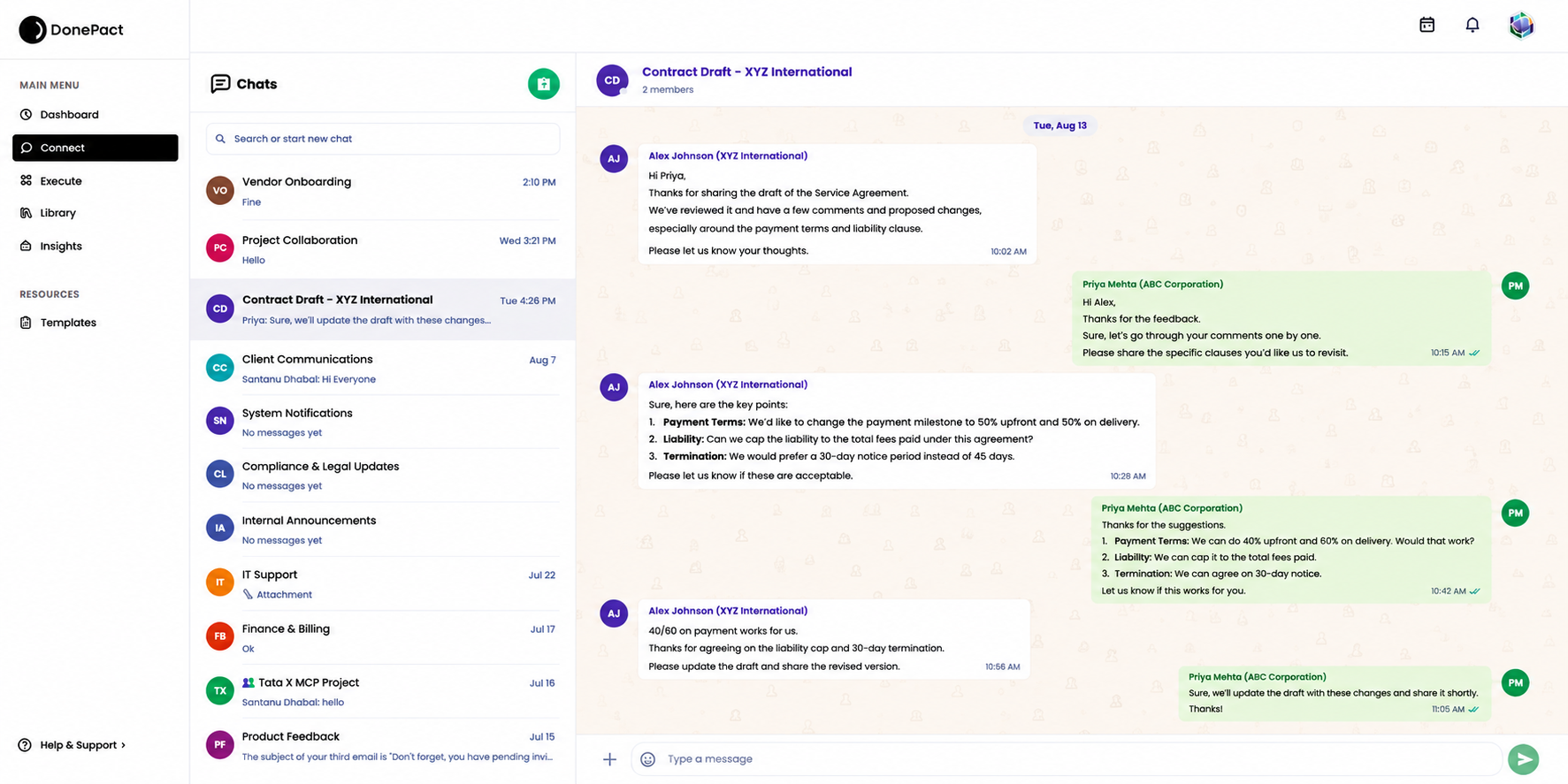
Review that points at the terms worth arguing about.
AI-assisted review and analysis surface important terms, deviations and potential issues. Redlines, versions and the reasoning behind each change stay with the agreement through every negotiation round.
- AI-assisted contract review and analysis
- Comparison across versions
- Negotiation context retained with each change
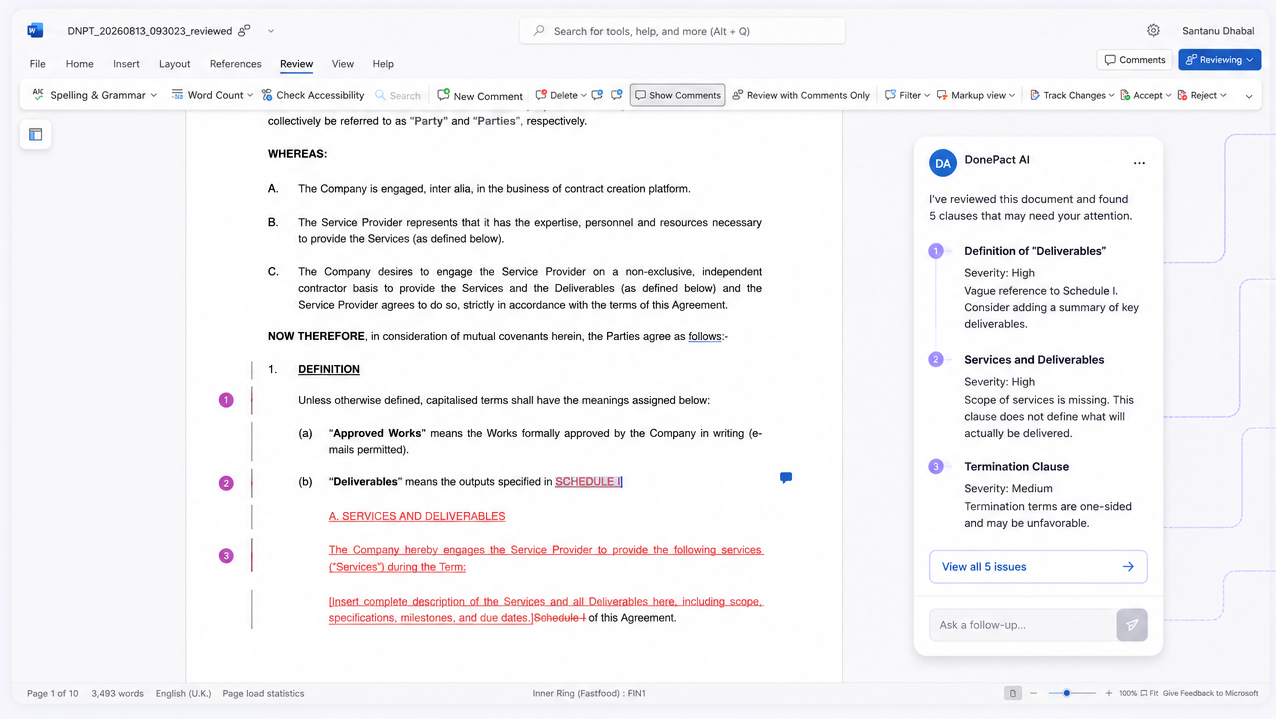
Everything the agreement needs, in one place.
The document is only one part of it. The workspace keeps the conversation, the participants, the comments, the workflow, the approvals, the activity history and the AI assistant together with it.
See what the AI assistant does- Document
- Conversation
- Participants
- Comments
- Workflow
- Approval
- Activity
- AI assistant
A conceptual representation of what an agreement workspace contains — not a depiction of a specific screen.
Take an agreement from draft to signature in one place.
See the workspace running against the agreement types your teams handle every week.