 DonePact
How to Install &; Access
the DonePact Word Add-in
The DonePact AI Add-in for Microsoft Word integrates our Contract Lifecycle Management (CLM) intelligence directly into your drafting environment. By embedding compliance checks and automated review protocols within Word, DonePact eliminates the need to switch contexts, ensuring seamless, risk-free contract negotiation.
Prerequisites: Installation
Before using the service, the DonePact Add-in must be enabled in your Microsoft Word application.
A How to Install from the Microsoft Marketplace:
Before using the service, the DonePact Add-in must be enabled in your Microsoft Word application. Follow the steps below to install it from the Office Add-ins Store.
- Open Microsoft Word.
- Navigate to the Insert tab on the ribbon and click Get Add-ins (or Store).
- In the Office Add-ins dialog box, select STORE.
- In the search bar, type "DonePact AI" and press Enter.
- Locate the DonePact application in the search results and click the Add button.
- The Add-in is now installed — the DonePact AI group will appear in your Home ribbon.
B Launch the Add-in
Once installed, the Add-in is accessible directly from your main toolbar.
- Open the contract or legal document you wish to review.
- Navigate to the Home tab on the Word Ribbon.
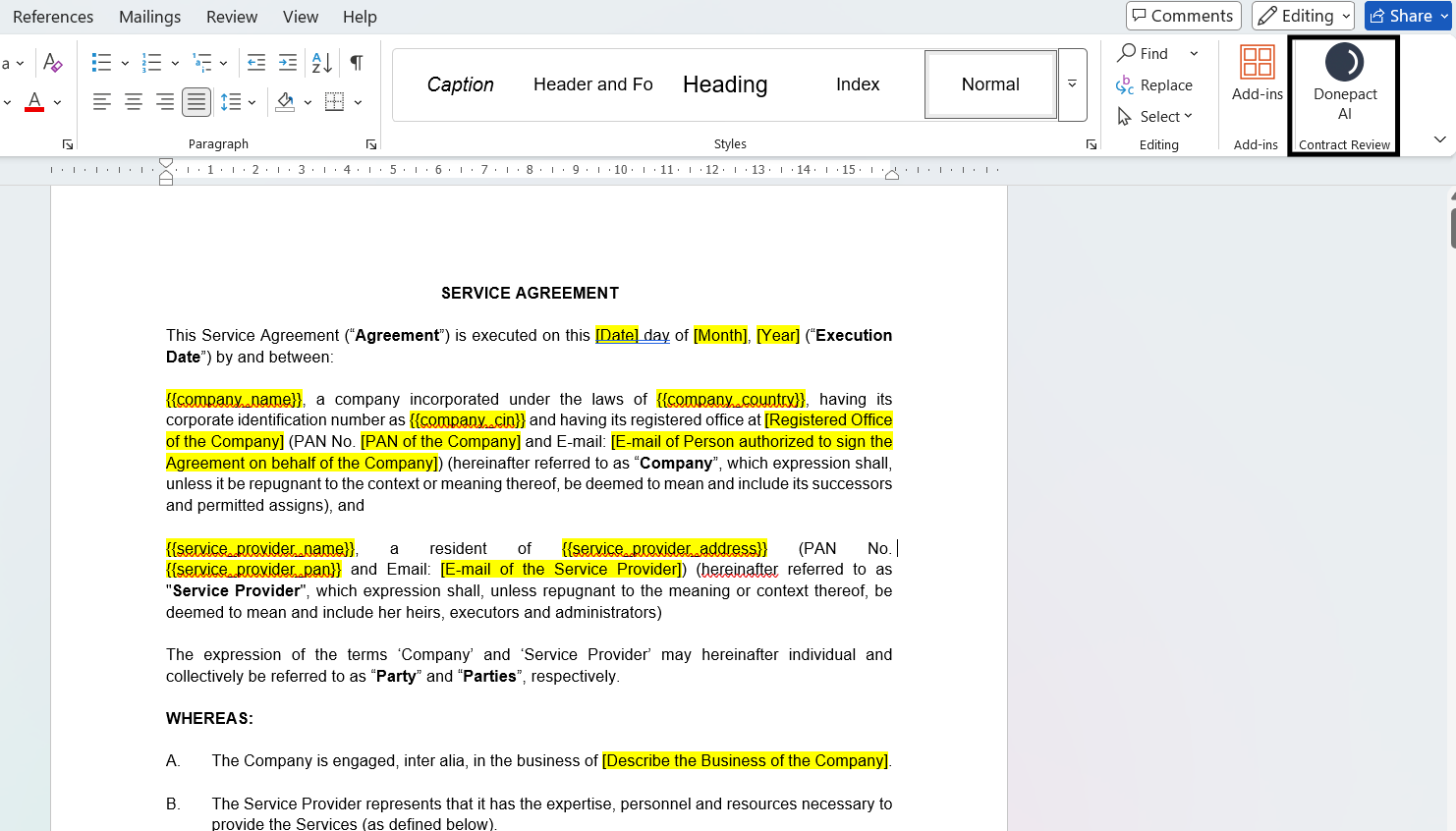
- Locate the DonePact AI group on the far right.
- Click the Contract Review button.
C Secure Authentication
DonePact operates on a secure, tenant-isolated architecture. You must authenticate to access your organization's specific review playbooks.
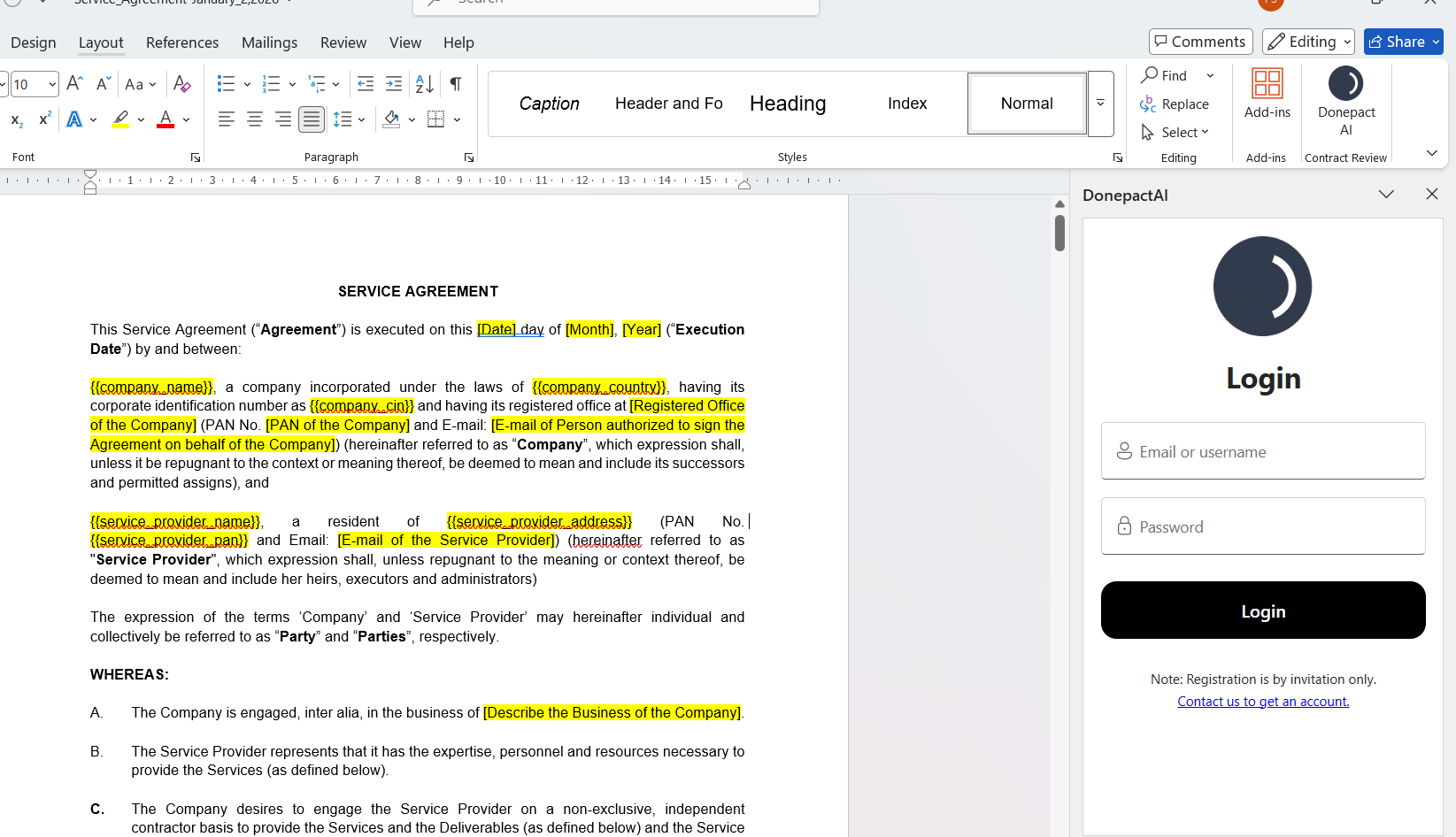
- Wait for the DonePact AI task pane to load.
- Enter your registered Business Email and Password.
- Click Login.
Note: Registration is by invitation only. Credentials are provisioned by your organisation's Business Administrator. Individual sign-ups are disabled to ensure data security.
D Select a Review Protocol
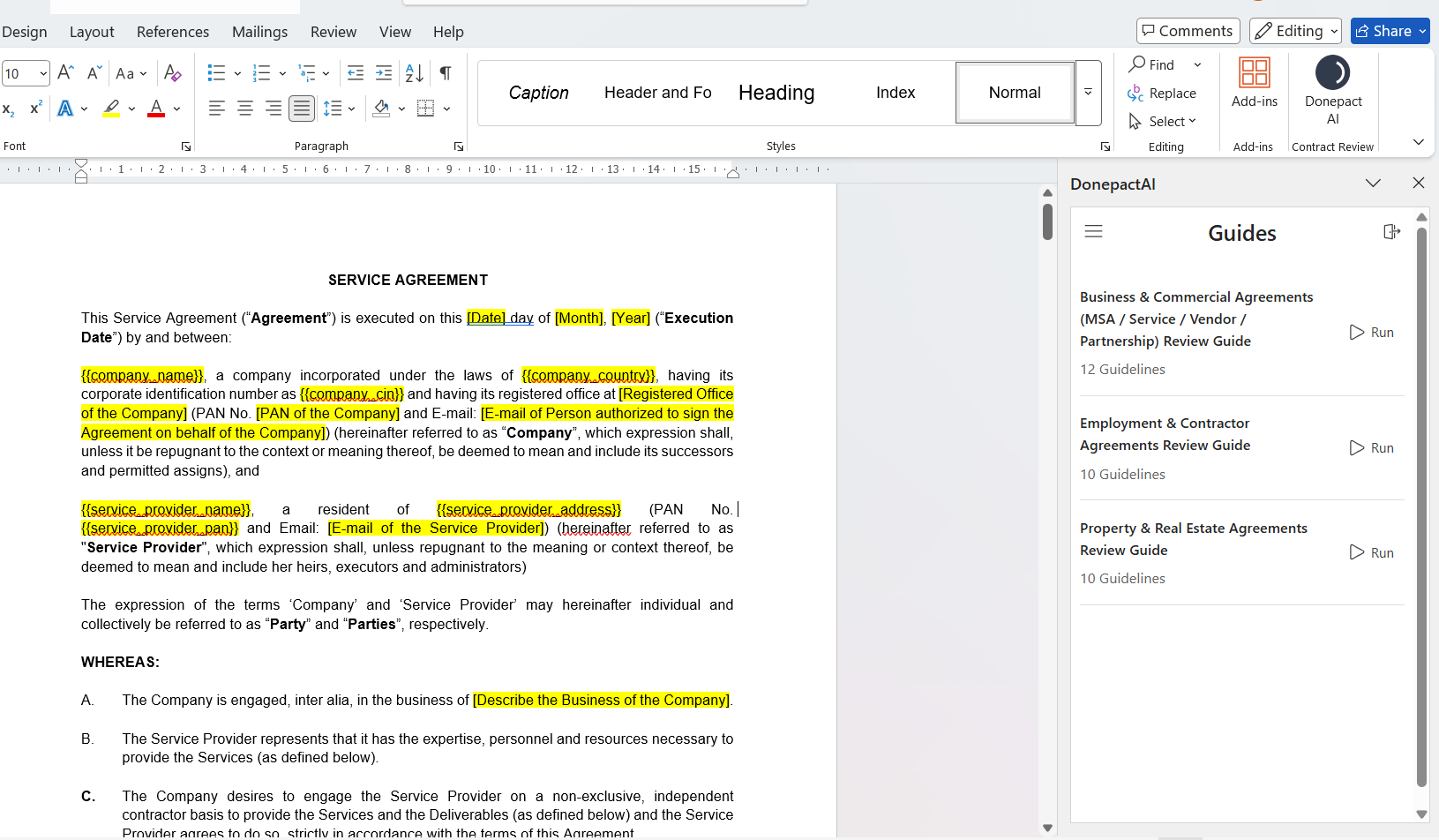
Upon successful login, you will access the Guides Dashboard. This interface displays the specific Review Guides (playbooks) enabled for your organization.
- Review the available Guides (e.g., Business &; Commercial Agreements, Employment &; Contractor Agreements).
- Identify the Guide that matches the document type you are currently reviewing.
- Click the Run button (represented by the Play icon ▷) next to the appropriate Guide.
E Analyze Compliance Results
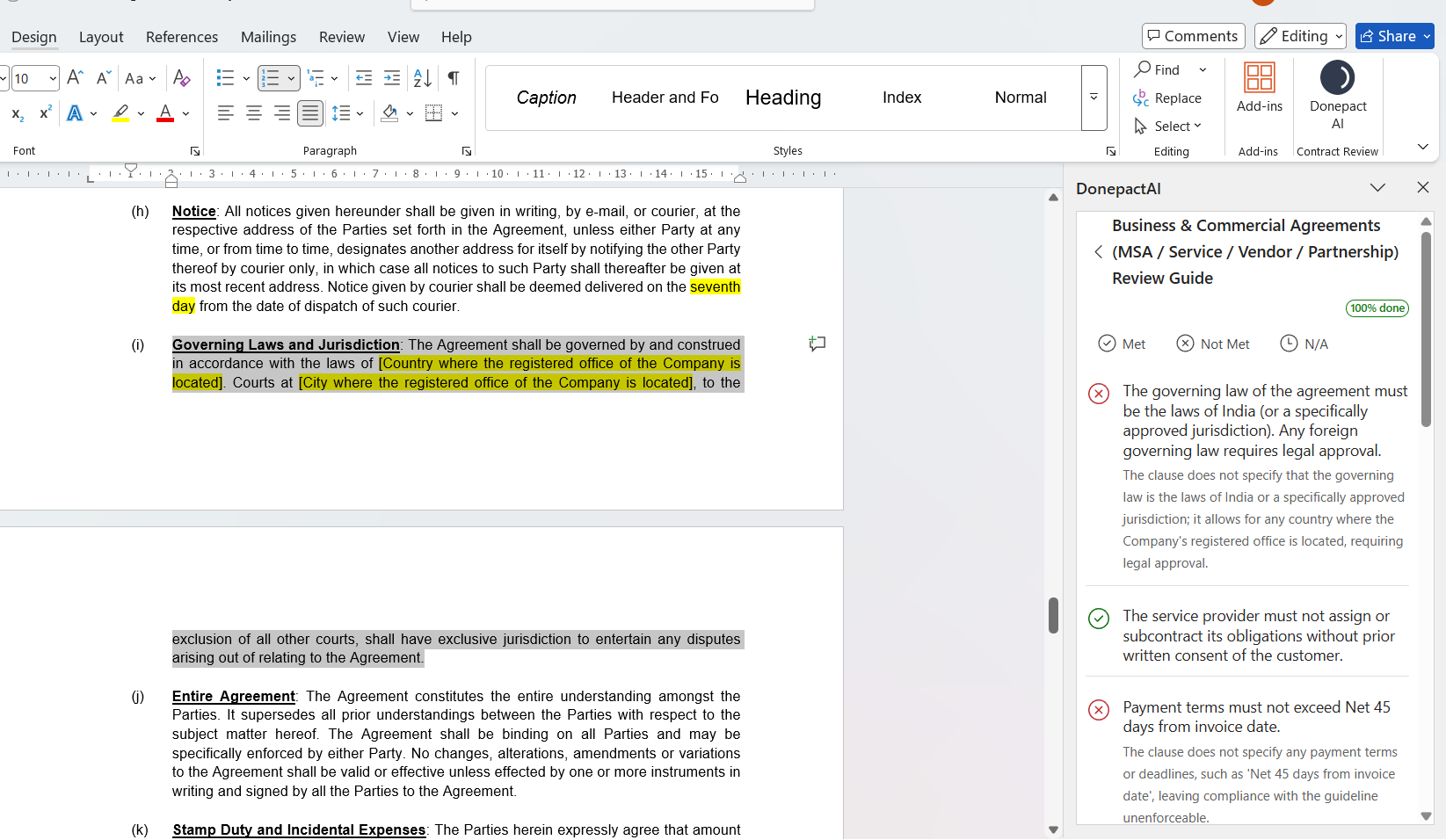
The analysis results are displayed in real-time within the task pane. The system categorises clauses based on your organisation's legal standards.
Status Indicators
Met
The clause is present and compliant with your playbook.
Not Met
The clause is present but does not meet the standard or poses a risk.
N/A
The clause is missing, deviates from the standard, or poses a risk.
Navigation &; Remediation
Click on any specific rule in the list to instantly jump to that section in the document text. Read the guidance provided under "Not Met" items to understand why the clause failed (e.g., "Payment terms must not exceed Net 45 days").
Need Help?
If you encounter installation errors or login issues, please contact our internal IT Helpdesk or click on this link to raise a Support ticket.